The home screen is https://www.digicert.com/account/login.php

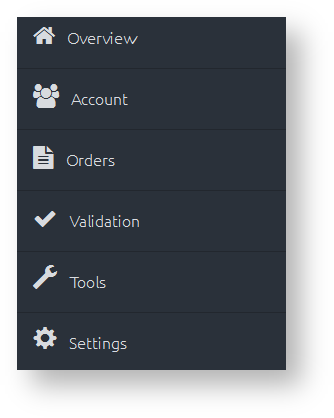
After logging in you will see the main menu on the left-hand side
The home screen is https://www.digicert.com/account/login.php
After logging in you will see the main menu on the left-hand side

In Reports page you will find a link to the Orders Report. This page shows the overview of all certificates ordered. At the top of the page there are two drop-down lists, one for months and one for years. These enables filtering the results of your orders report i.e. you can see how many certificates were ordered in a specific month of a specific year.
Account : My Division and Users (and Guest URLs and API keys)
Your Divisions and users can be managed here, including Guest URLs, API keys and Two-Factor authentication.

Orders : Orders, Requests and Request a Certificate
Here is where you request and approve certificates. You also see previous orders.

Validation : Organisations and Domains
Here you can create new Organizations and division but you also find all the ones already created together with their status.

Tools
A number of tools that can help you in common tasks.


